How to sign a PDF in Chrome
Open the PDF in the PDF editor of Eofent Capture and choose Sign. Type your signature, draw it or use a picture of it, then click where it goes on the page.
7 STEPS · CHROME AND EDGE
1Open the PDF
Open the PDF tab, press Open a PDF and pick the file.
2Choose Sign
You will find it with the quick tools on the left, or in All tools.
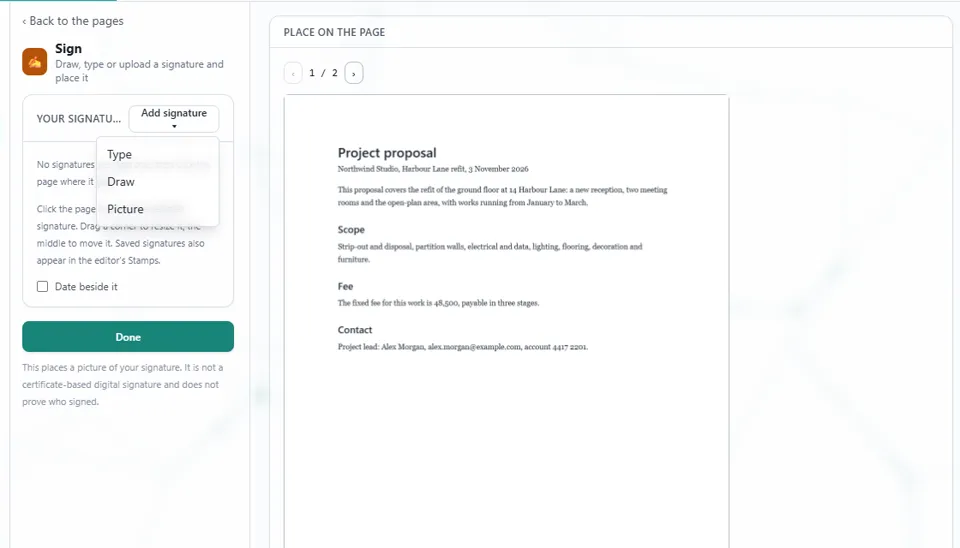
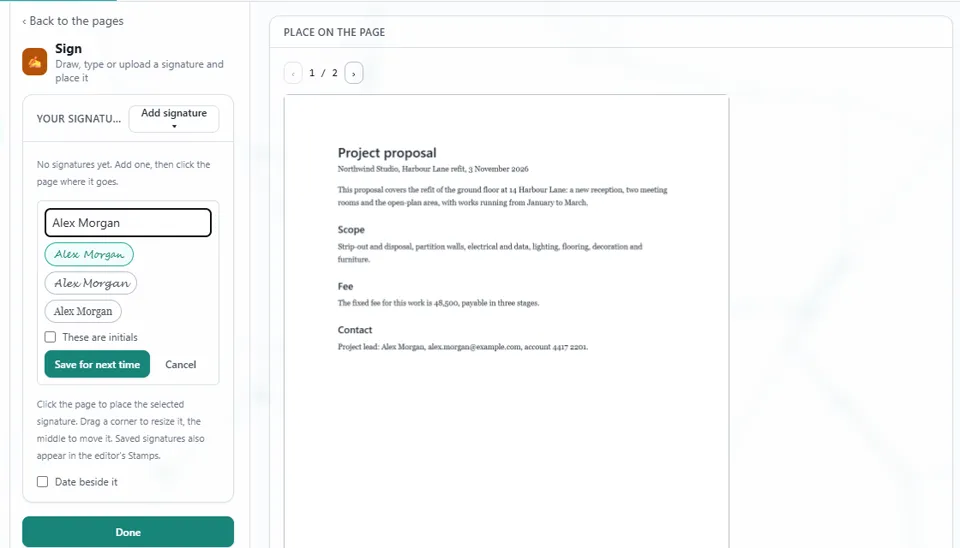
3Press Add signature
Choose Type, Draw or Picture. Your signature is saved, so next time it is already there.
4Make your signature
Type your name, or draw it, and save it.
5Click the page where it goes
Drag a corner to resize it, and the middle to move it. Tick Date beside it to add the date.
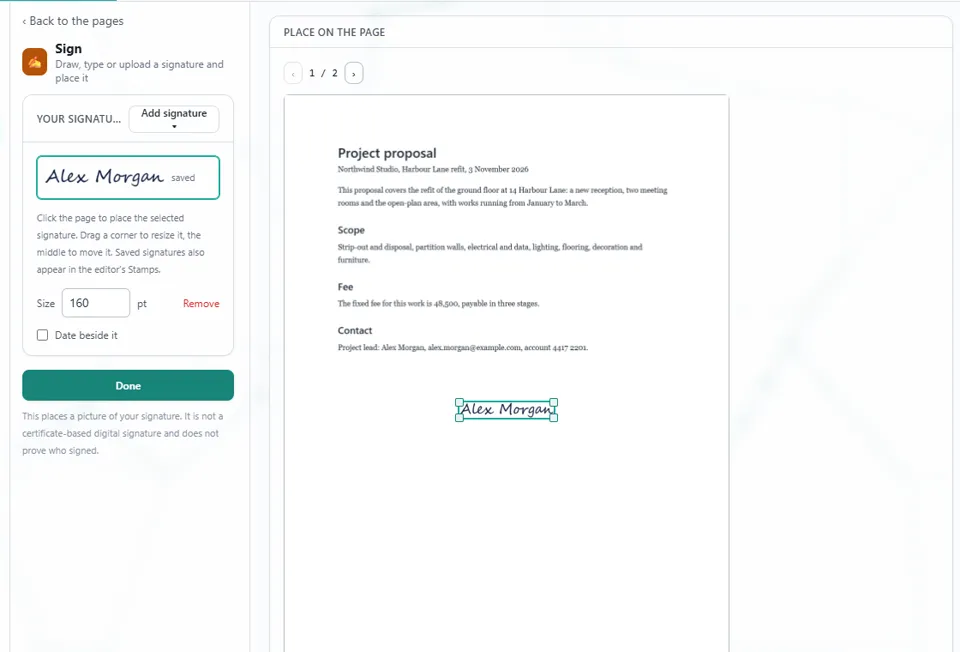
6Press Done
The signature is added as a step you can undo.
GOOD TO KNOW
This places a picture of your signature. It is not a certificate-based digital signature and does not prove who signed.
7Open Save, then Export
Press Export PDF, and the signed file lands in your Downloads folder.
Install Eofent Capture
Eofent Capture is free to start; the free plan has daily allowances. SEE PLANS →