How to make a scanned PDF searchable in Chrome
A scanned PDF is only pictures of pages, so you can't search it or select its text. Open it in the PDF editor of Eofent Capture and choose Make searchable. It reads the pages on your computer and lays an invisible text layer over each word.
7 STEPS · CHROME AND EDGE
1Open the PDF
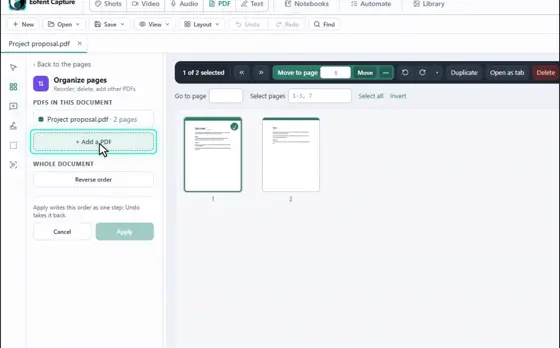
Open the PDF tab, press Open a PDF and pick the file.
2Choose Make searchable (OCR)
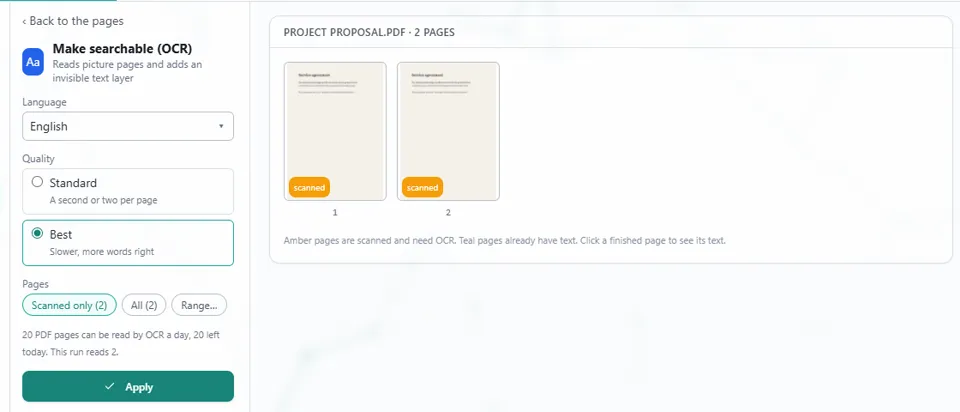
You will find it with the quick tools on the left, or in All tools. Each page shows whether it is scanned or already has text.
3Pick the language of the document
Choose the language the document is written in, so the words are read correctly.
4Pick a quality
Standard takes a second or two per page. Best is slower and gets more words right.
5Choose the pages
Scanned only skips pages that already have text. You can also choose All, or a Range.
GOOD TO KNOW
50 pages can be read a day on a free account, 20 signed out.
6Press Apply
The text layer is added as a step you can undo.
7Open Save, then Export
Press Export PDF, and the searchable file lands in your Downloads folder.
Install Eofent Capture
Eofent Capture is free to start; the free plan has daily allowances. SEE PLANS →