How to split a PDF in Chrome
Open the PDF in the PDF editor of Eofent Capture, choose Split and click between the pages where you want a cut. You can export the parts as one ZIP or as separate PDFs.
6 STEPS · CHROME AND EDGE
1Open the PDF
Open the PDF tab, press Open a PDF and pick the file.
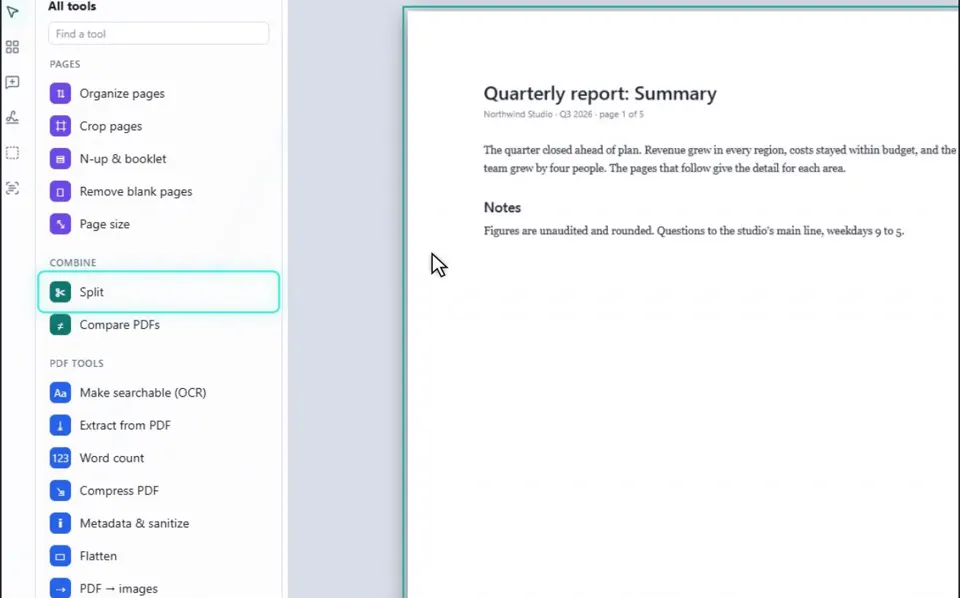
2Choose Split
You will find it under Combine in the list on the left.
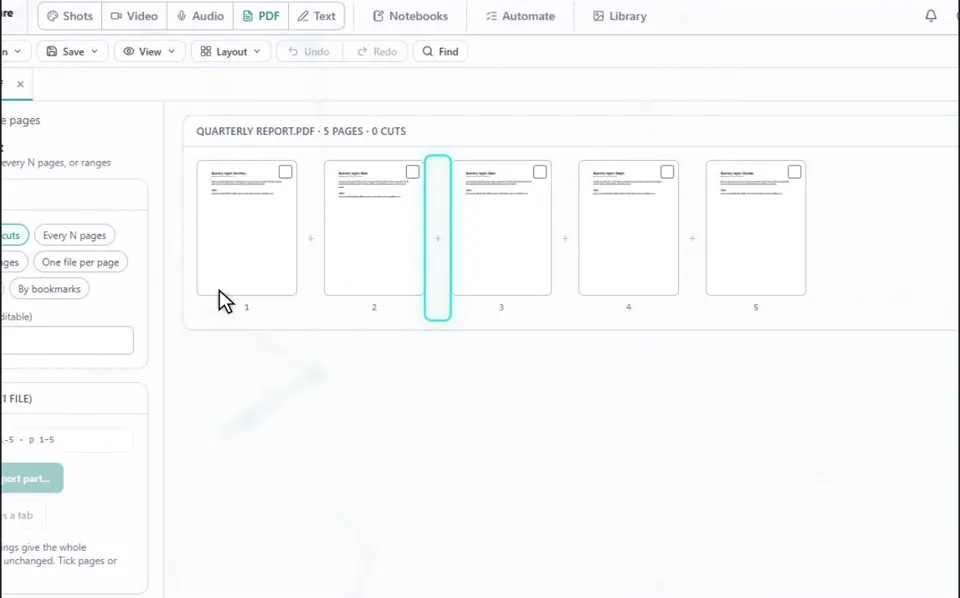
3Click where you want a cut
Click the marker between two pages. Add as many cuts as you like.
GOOD TO KNOW
The same panel offers Every N pages, Page ranges, One file per page, By size and By bookmarks.
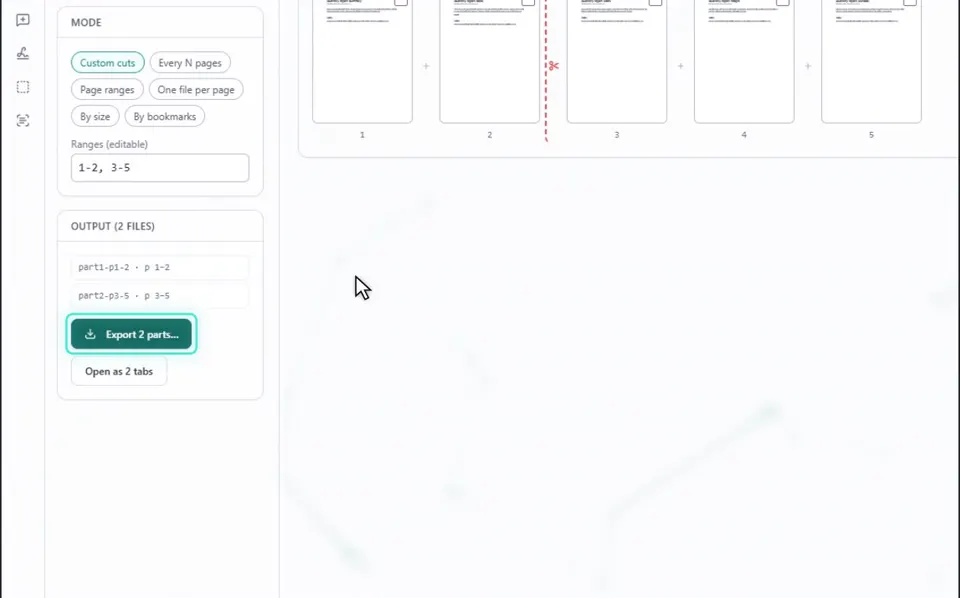
4Press Export
The button counts the parts for you, for example Export 2 parts.
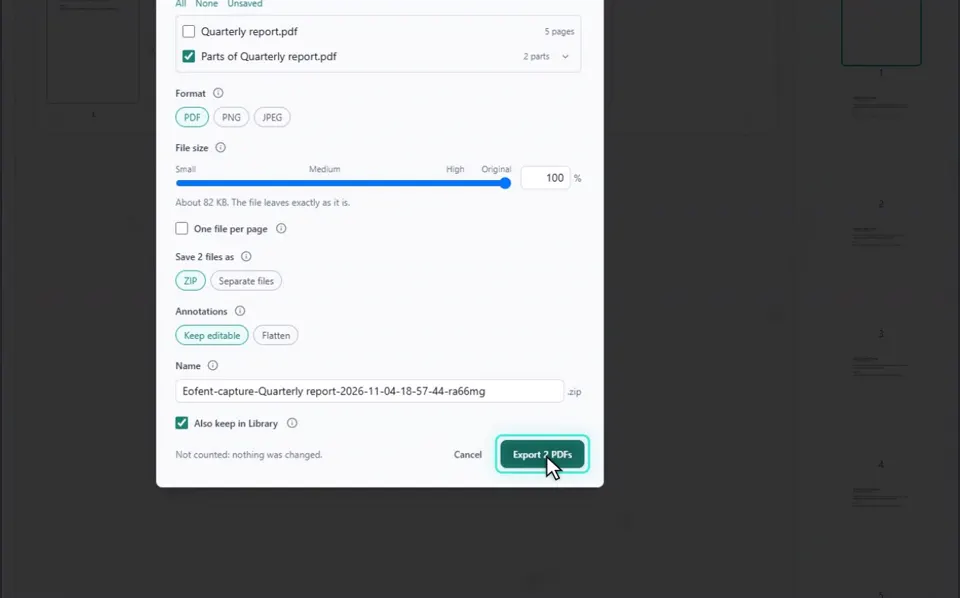
5Choose one ZIP or separate files
One ZIP is the default. Choose Separate files to get one PDF for each part.
GOOD TO KNOW
The parts can also open as new tabs in the editor instead of downloading.
6Press Export PDFs
The parts land in your Downloads folder.
Install Eofent Capture
Eofent Capture is free to start; the free plan has daily allowances. SEE PLANS →