How to screenshot part of a page in Chrome
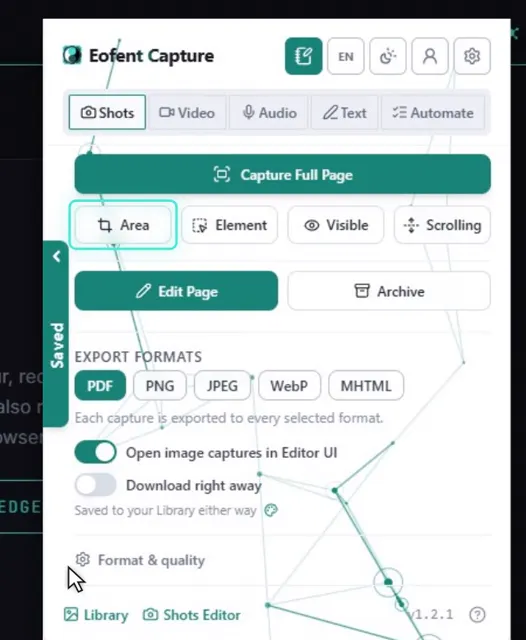
Open Eofent Capture, press Area and drag a box over the part you want. Your captures stay on your computer.
8 PASOS · CHROME Y EDGE
DE MOMENTO, ESTA GUÍA ESTÁ EN INGLÉS
1Open Eofent Capture
Press its icon in the toolbar. The popup opens on Shots.
2Press Area
The page is ready for you to draw on.
3Drag a box over the part you want
The size shows as you go, and you can adjust the box with its handles.
CONVIENE SABER
The width and height boxes can be typed into, or pick a preset for an exact size.
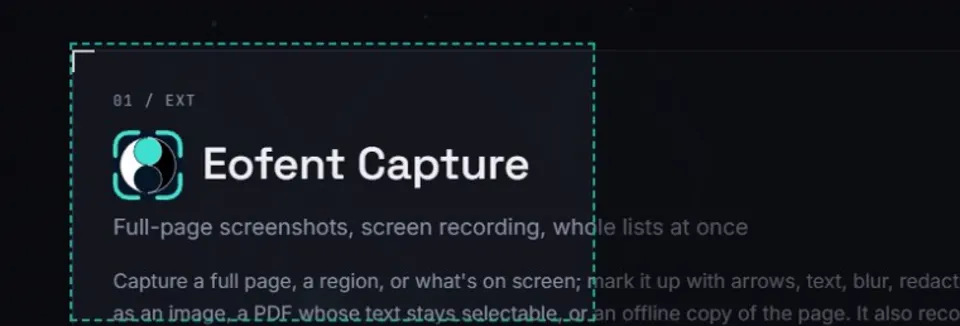
4Press Capture
Enter or the Capture button confirms, and Esc cancels.
5Mark it up in the Shots editor
The shot opens in the Shots editor. Add arrows, text, blur or a crop if you like.
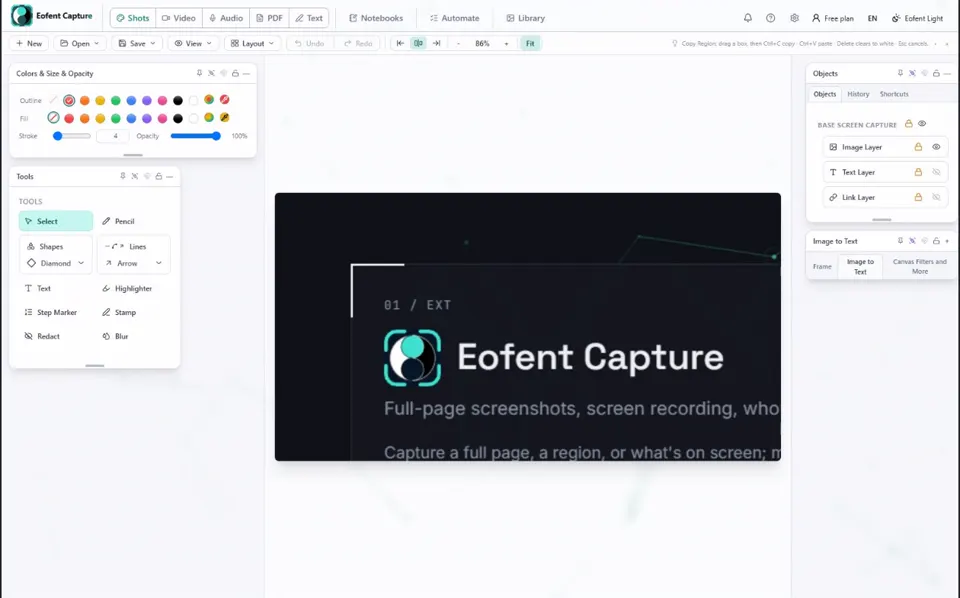
6Open Save, then Export image / PDF
The export panel opens over the editor.
7Tick the formats you want
PDF is ticked already. Tick PNG, and JPEG or WebP too if you like.
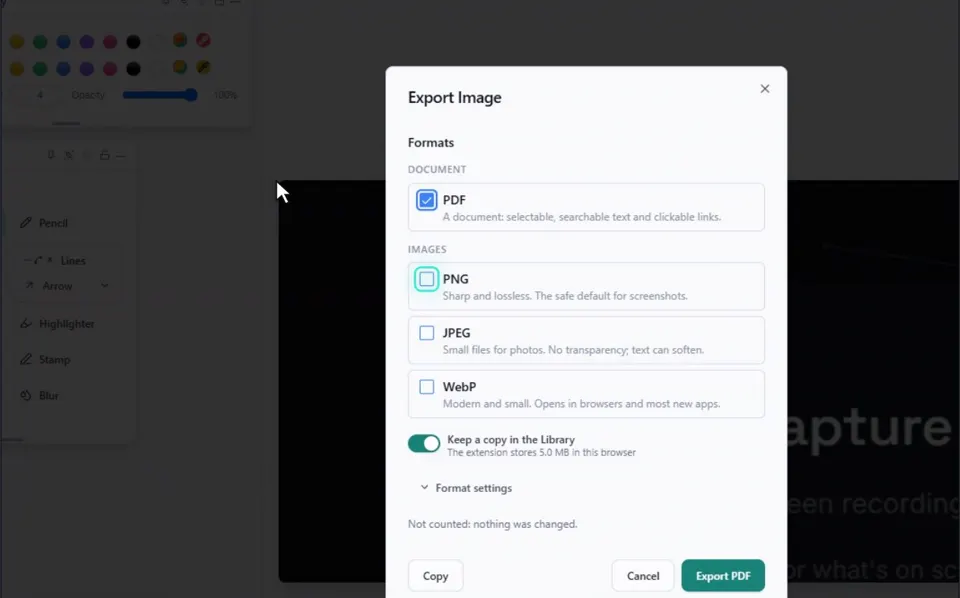
8Press Export
The files land in your Downloads folder.
Instalar Eofent Capture
Eofent Capture es gratis para empezar; el plan gratuito tiene límites diarios. VER PLANES →