How to compress a PDF in Chrome
Open the PDF in the PDF editor of Eofent Capture, choose Compress PDF, pick a level and press Preview. In the video a two page scan goes from 3.9 MB to 174 KB.
7 个步骤 · CHROME 和 EDGE
本指南目前仅提供英文版
1Open the PDF
Open the PDF tab, press Open a PDF and pick the file.
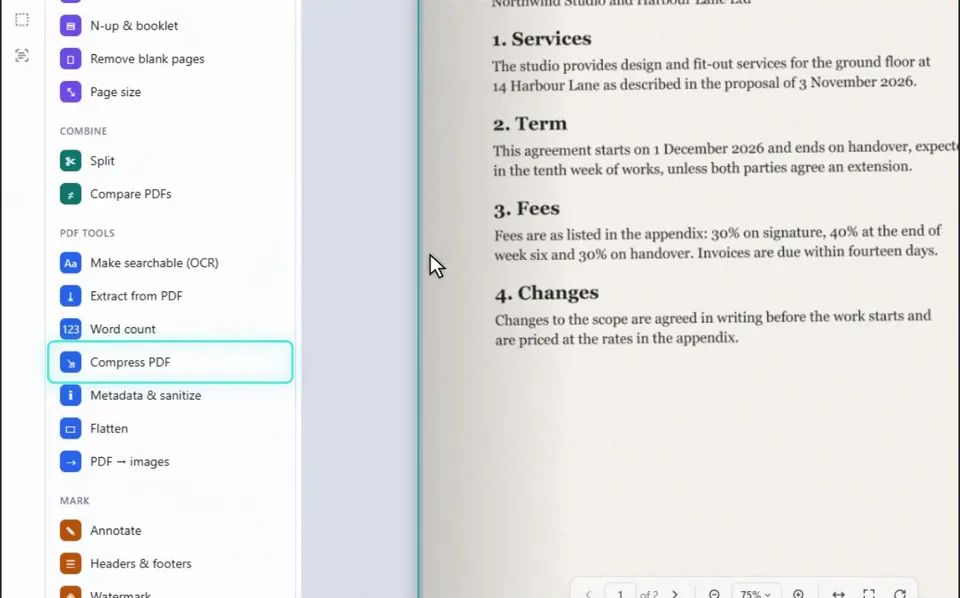
2Choose Compress PDF
You will find it under PDF tools in the list on the left.
3Pick a level
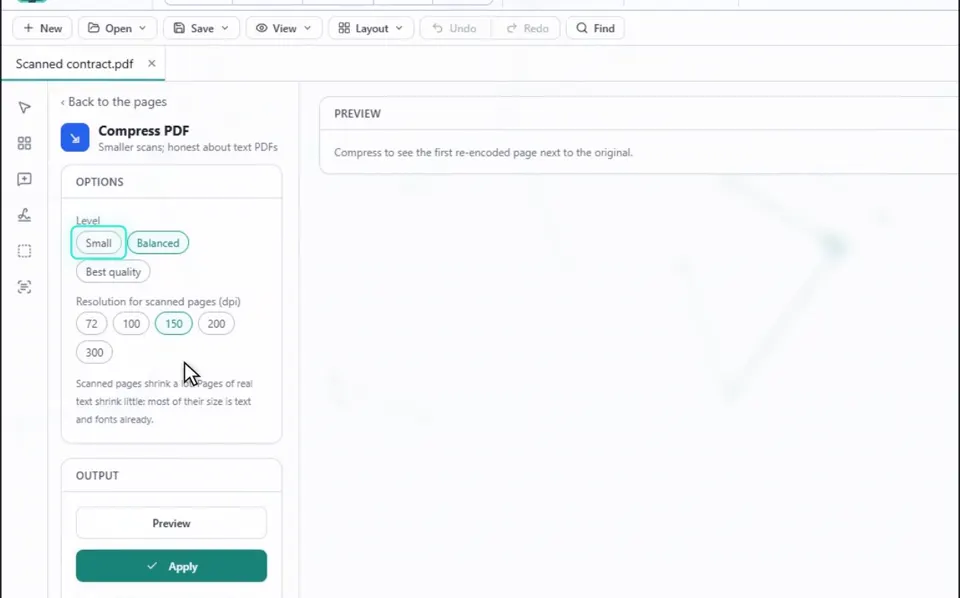
Small shrinks scans the most, and Best quality keeps more detail. You can also set the resolution for scanned pages in dpi.
4Press Preview
The panel shows the size before and after, with a preview of the first page next to the original.
小提示
Scanned pages shrink a lot. Pages of real text shrink little, because most of their size is text and fonts already.
5Press Apply
This keeps the smaller version as a step you can undo.
小提示
The new file keeps every page and its text, but not bookmarks or form fields.
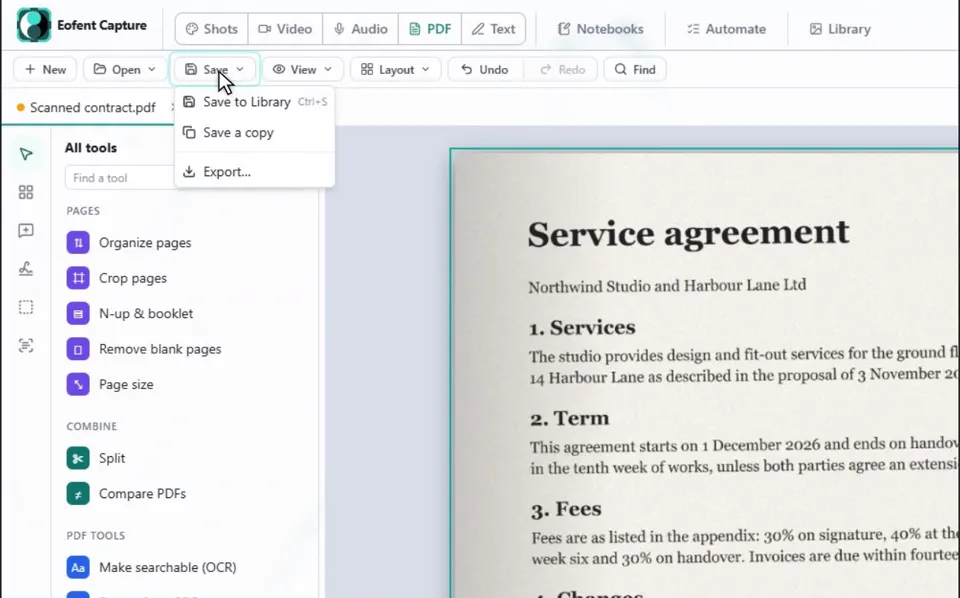
6Open Save, then Export
Nothing is written to your disk until you save or export.
7Press Export PDF
The smaller file lands in your Downloads folder.
安装 Eofent Capture
Eofent Capture 可免费开始使用;免费版有每日额度。 查看方案 →